
As a wedding planner, you know the feeling. Your client hands you a guest list of 450 names. There are five functions: haldi, mehendi, sangeet, the wedding and the reception. Half the guests are flying in from other cities. And the caterer wants final numbers in three weeks.
Now your team has to find out who is coming to which function, how many people are in each family, and when everyone is arriving. Most planners do this through endless calls and WhatsApp chats, then copy the answers into Excel late at night.
There is a better way. In this guide, we explain how wedding planners and event agencies can run WhatsApp RSVP management for their clients in a simple, organised way, from collecting the guest list to sharing final headcounts with vendors.
Why WhatsApp Is the Best Channel for Indian Wedding RSVPs
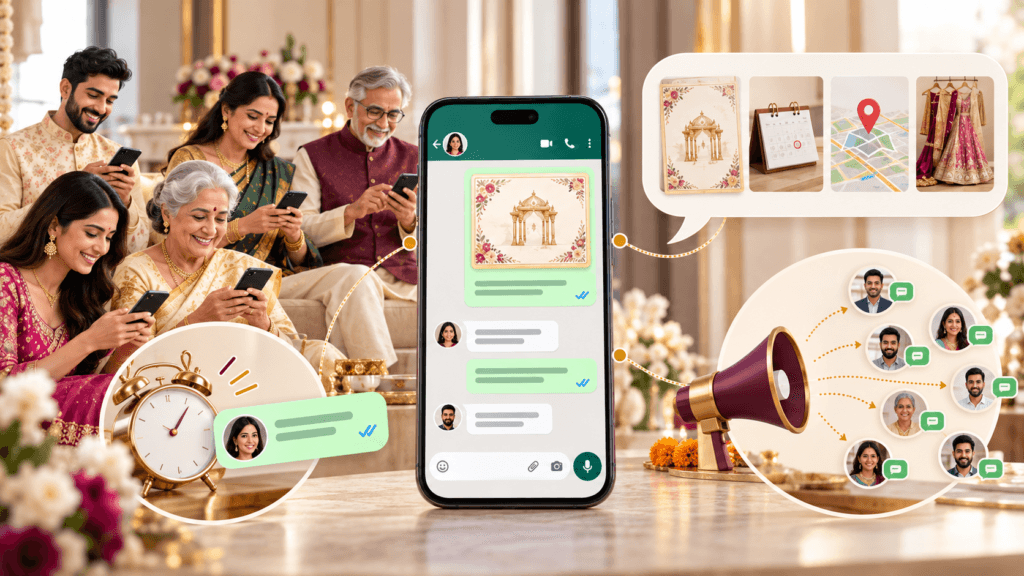
Guests are already there
Almost every guest at an Indian wedding uses WhatsApp, from young cousins to grandparents. Your team does not need to ask guests to download an app or check their email.
Replies come faster
Emails often go unread, and many guests do not pick up calls from unknown numbers. WhatsApp messages are usually opened within minutes, so your team spends less time chasing replies.
Everything fits in one chat
You can share the invitation card, function schedule, venue location, dress code and travel questions in one place.
Updates reach guests quickly
When a function time or venue changes, your team can inform hundreds of guests on the same day. This protects your reputation with the client.
Before You Start: Setting Up With Your Client
Good RSVP management starts before the first message is sent. Agree on these points with the client family at the start.
1. Get one clean guest list from the client
Ask the client for a single guest list with names and WhatsApp numbers, including country codes for guests abroad. If the bride’s and groom’s sides send separate lists, merge them and remove duplicates before you begin.
2. Group guests by family and pick one contact
Send one message per family, not to every person. Note the main contact for each family, for example “Mehta family – contact: Anil Mehta.” This avoids getting several different replies from one household.
3. Map guests to functions
Ask the client which guests are invited to which functions. Close family may be invited to the haldi, while colleagues may only be invited to the reception. Mark this clearly so nobody receives the wrong invitation.
4. Agree on the RSVP deadline with vendors in mind
Set the deadline based on when your caterer, hotel and transport team need final numbers, usually three to four weeks before the wedding. Share this date with the client so they can support the follow-ups.
5. Use a dedicated business number
Never use a team member’s personal WhatsApp. Use a WhatsApp Business number for each wedding or for your agency. Messages should clearly say they are sent on behalf of the family, so guests trust them.
6. Decide where replies will be recorded
Your whole team needs one place to see every reply. This can be a shared Google Sheet for small weddings, or a guest management platform that records replies automatically for large ones.
7. Agree on how you will report to the client
Decide how often you will update the client on RSVP progress, for example a short status message every three days. This keeps the family calm and avoids repeated calls asking “How many have confirmed?”
Step-by-Step: How Planners Manage Wedding RSVPs on WhatsApp

Step 1: Send invitations on behalf of the family
Send the digital invitation card with a short, warm message that clearly says it comes on behalf of the family. Mention only the functions that guest is invited to, and include the RSVP deadline.
Step 2: Make replying easy
Guests should not have to write long answers. Ask them to reply with a number, like “1 for Yes, 2 for No,” or send one simple form link that asks:
- Will you attend? (Yes / No / Not sure yet)
- Which functions will you attend?
- How many people are coming with you?
- Food preference (veg / non-veg / Jain)
Step 3: Collect travel details from outstation guests
Ask outstation guests for their arrival date, flight or train number and departure date. Your logistics team needs this to plan pickups and confirm the hotel room block. Our guide on destination wedding guest management covers this step in more detail.
Step 4: Record every reply in one shared place
As replies arrive, update the shared list straight away, noting functions and headcount. Never leave answers only in WhatsApp chats. If one team member is on leave, nobody else can see what guests said.
Step 5: Split follow-ups across the team
For large weddings, divide pending guests among team members, for example by family side or by city. Send a friendly reminder one week before the deadline, and a final one a day or two before.
Step 6: Share RSVP progress with the client
Send the client a short status update at the times you agreed: how many have confirmed, how many have declined and how many are still pending. Ask the family to personally nudge any close relatives who have not replied.
Step 7: Lock headcounts and share them with vendors
After the deadline, finalise the headcount for each function. Share these numbers with the caterer, decorator, hotel and transport partners. This step is where accurate RSVPs save your client real money.
Step 8: Send schedules and handle changes
A week before the wedding, send confirmed guests the full schedule, venue locations, dress codes and helpline numbers. If anything changes, inform all affected guests on the same day.
Step 9: Close with a thank-you on behalf of the family
After the wedding, send a short thank-you message on the family’s behalf. It is a small touch that clients notice and remember when they recommend you.
Ready-to-Use WhatsApp Templates for Planners
Copy these and change the names, dates and functions for each client.
1. Invitation and RSVP request (on behalf of the family)
Namaste [Guest name] ji
On behalf of the [Family name] family, we are delighted to invite you to the wedding of [Bride] & [Groom].
You are invited to: [Mehendi – date] | [Sangeet – date] | [Wedding – date]
Kindly confirm by [RSVP date]. Please reply: 1 – Yes, attending 2 – Sorry, can’t attend 3 – Not sure yet
Warm regards, [Planner name], [Agency name] (wedding coordination team)
2. Function and headcount follow-up
Thank you for confirming, [Guest name] ji!
To help the family plan, please share: • Which functions you will attend • Number of people coming with you • Food preference: Veg / Non-veg / Jain
3. Travel details for outstation guests
Our team will arrange your pickup and stay. Please share: • Arrival date and time • Flight or train number • Departure date
4. Friendly reminder
Hi [Guest name] ji, a gentle reminder to share your RSVP for [Bride] & [Groom]’s wedding by [RSVP date]. It helps the family make the best arrangements for you. Thank you!
5. Schedule change
Update from the [Family name] family: The Sangeet on [date] will now begin at 7:00 pm instead of 6:00 pm, at the same venue. For help, call [helpline number].
6. RSVP status update for the client
Hi [Client name] ji,
here is today’s RSVP update for the wedding:
Confirmed: 310 guests
Declined: 42 guests
Pending: 98 guests
Could you personally message the 12 close relatives on the attached list who haven’t replied yet? Final numbers go to the caterer on [date].
7. Thank-you (on behalf of the family)
Thank you for being part of [Bride] & [Groom]’s celebrations. The [Family name] family is truly grateful for your blessings.
Tip: Always sign guest messages as the coordination team acting for the family, so guests trust the number and know who to contact.
Common Mistakes Planners Should Avoid
- Using one big WhatsApp group. Replies get lost, and guests can see each other’s phone numbers, which many clients do not want. Use personal messages or broadcast lists.
- Sending from personal numbers. When a team member leaves or changes phones, the chat history goes with them.
- Asking only “Are you coming?” Without function-wise answers, you cannot give the caterer accurate numbers.
- Keeping replies only in chats. If it is not in the shared list, the rest of the team cannot see it.
- Not updating the client. Families get anxious and start calling guests themselves, which creates confusion.
- Too many reminders. Two polite reminders are enough. More can annoy guests and reflect badly on the family.
Manual vs Automated WhatsApp RSVP Management
There are two ways a planning team can run RSVPs on WhatsApp.
| Manual (team phones + spreadsheet) | Automated (guest management platform) | |
| Sending invites | One by one or by broadcast list | Sent to all guests in one go |
| Recording replies | Typed into a sheet by the team | Saved automatically |
| Function-wise headcount | Counted by hand | Live counts per function |
| Reminders | Sent manually | Sent automatically to non-replies |
| Client updates | Prepared by hand | Live dashboard or quick export |
| Weddings a team can run at once | One or two large weddings | Several large weddings in parallel |
| Best for | Small weddings under 100 guests | Weddings with 200+ guests and many functions |
For small, local weddings, the manual method works. But if your agency handles several large weddings in the same season, automation is what lets the same team take on more clients without working through the night.
Example: WhatsApp RSVP Management With EventPax by WedHaven
EventPax by WedHaven is a guest management platform built in India for wedding planners, event management agencies and corporate teams. It uses an AI WhatsApp concierge to run RSVPs for every function on the planner’s behalf.
With EventPax, planning teams can:
- Send invitations and RSVP requests to every guest on WhatsApp, on behalf of the client family
- Record function-wise replies and headcounts automatically
- Send reminders only to guests who have not replied
- Collect travel details and ID documents from outstation guests
- Let the AI concierge answer common guest questions, like venue location or dress code
- Share live RSVP numbers with the client and vendors
Guests reply on WhatsApp just as they normally would, with no app to download, so even elderly relatives can respond easily.
Conclusion
For wedding planners, RSVPs are where good planning begins. Accurate numbers mean the right amount of food, the right number of rooms and pickups that run on time, and that is what clients remember.
Start with one clean guest list from the client, use a dedicated business number, make replying easy, record everything in one place and keep the family updated. For small weddings, a shared sheet may be enough. For large weddings, or when your agency runs several in one season, a wedding guest management platform can take most of this work off your team.
Once RSVPs are sorted, your team can focus on the guest experience. Here are some ideas to keep guests entertained at the reception you can suggest to your clients.

